Aigon organises development work into two core workflows, each with its own lifecycle.
Two core workflows
Features
The core delivery workflow. A feature moves through: create → prioritise → start → implement → evaluate → close. Features produce code that gets merged to your main branch.
Features support all four execution modes — Drive, Fleet, Autopilot, and Swarm.
Features can declare dependencies on other features using depends_on in the spec’s Dependencies section. When you prioritise a feature, Aigon resolves dependency references and checks for circular dependencies. Dependent features cannot be started until their dependencies are done.
Research
The discovery workflow. Research topics move through: create → prioritise → start → investigate → evaluate → close. Research produces findings and recommendations that feed into feature creation.
Research supports Drive (one agent), Fleet (multiple agents for diverse perspectives), and Autopilot (research-autopilot — hands-off Fleet that auto-evaluates). Research findings are synthesised qualitatively rather than scored.
Legacy feedback commands remain for compatibility only. Capture new customer input as research with origin: customer-feedback.
Four execution modes
Modes apply to features (all four) and research (Drive, Fleet, and Autonomous).
| One agent | Multiple agents | |
|---|---|---|
| Hands-on | Drive | Fleet |
| Hands-off | Autonomous | Swarm |
In Fleet mode, agents compete in isolated worktrees on the same spec. You evaluate and merge the winner:
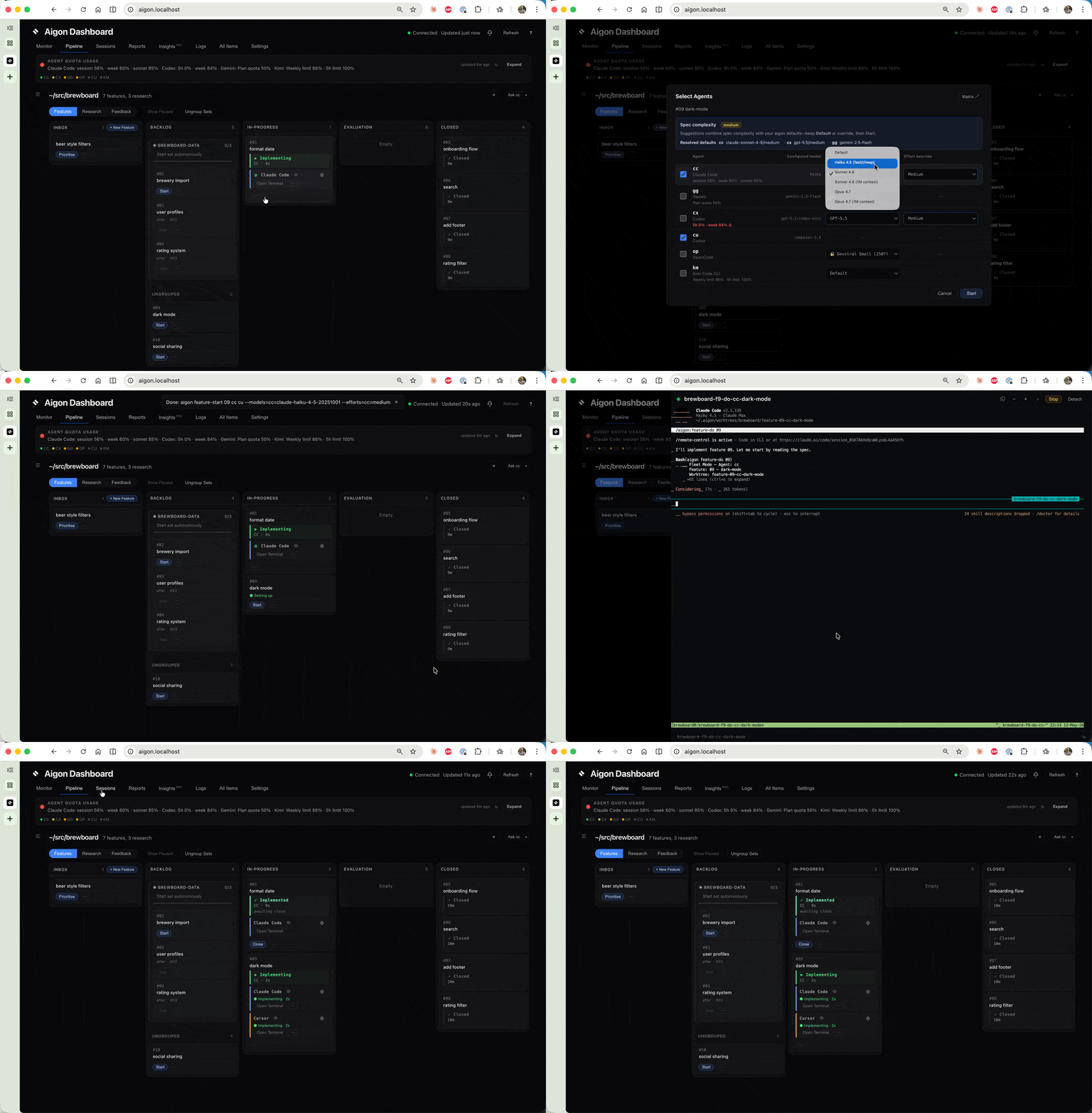
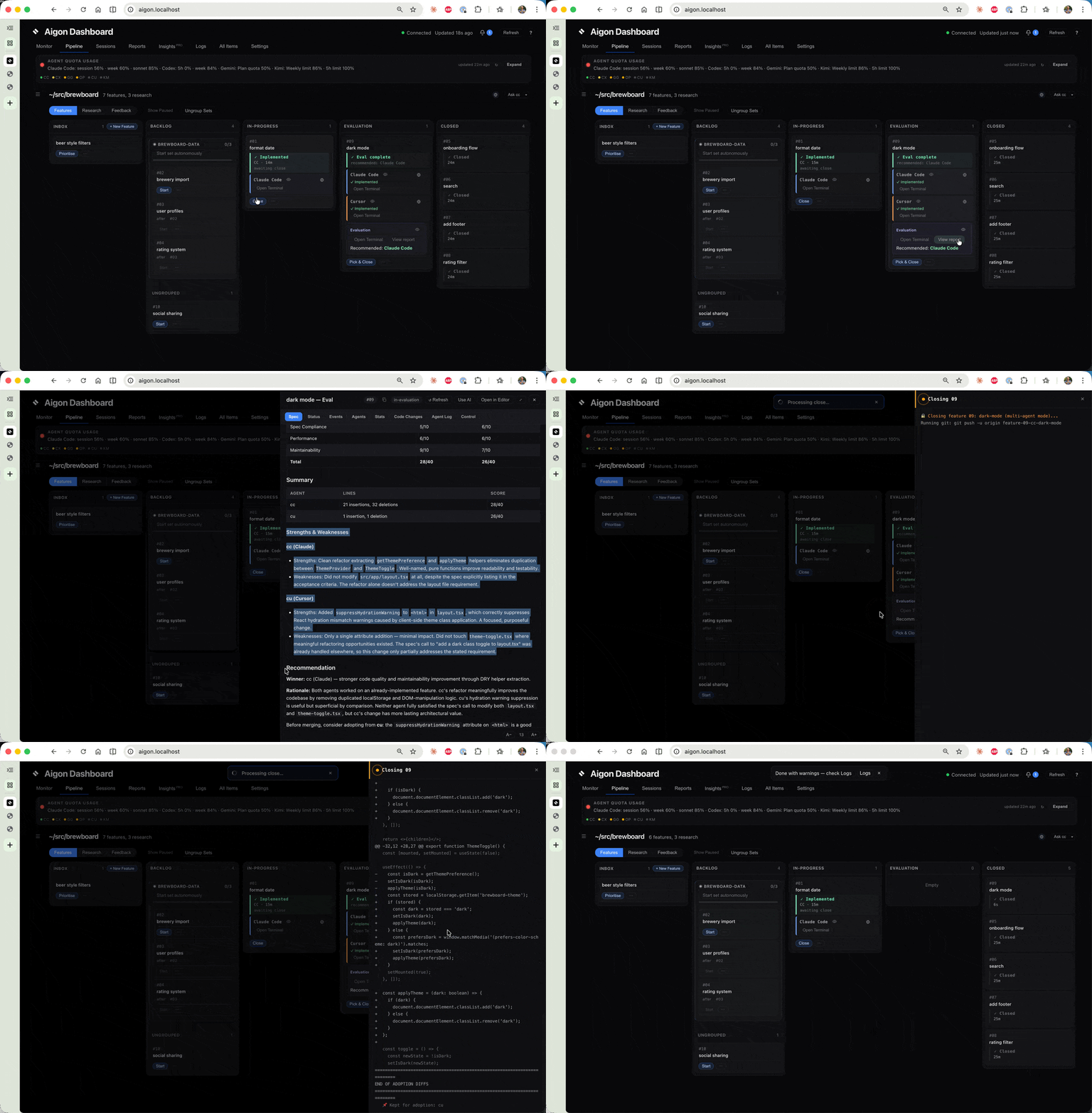
See Execution Modes for details.
Three surfaces
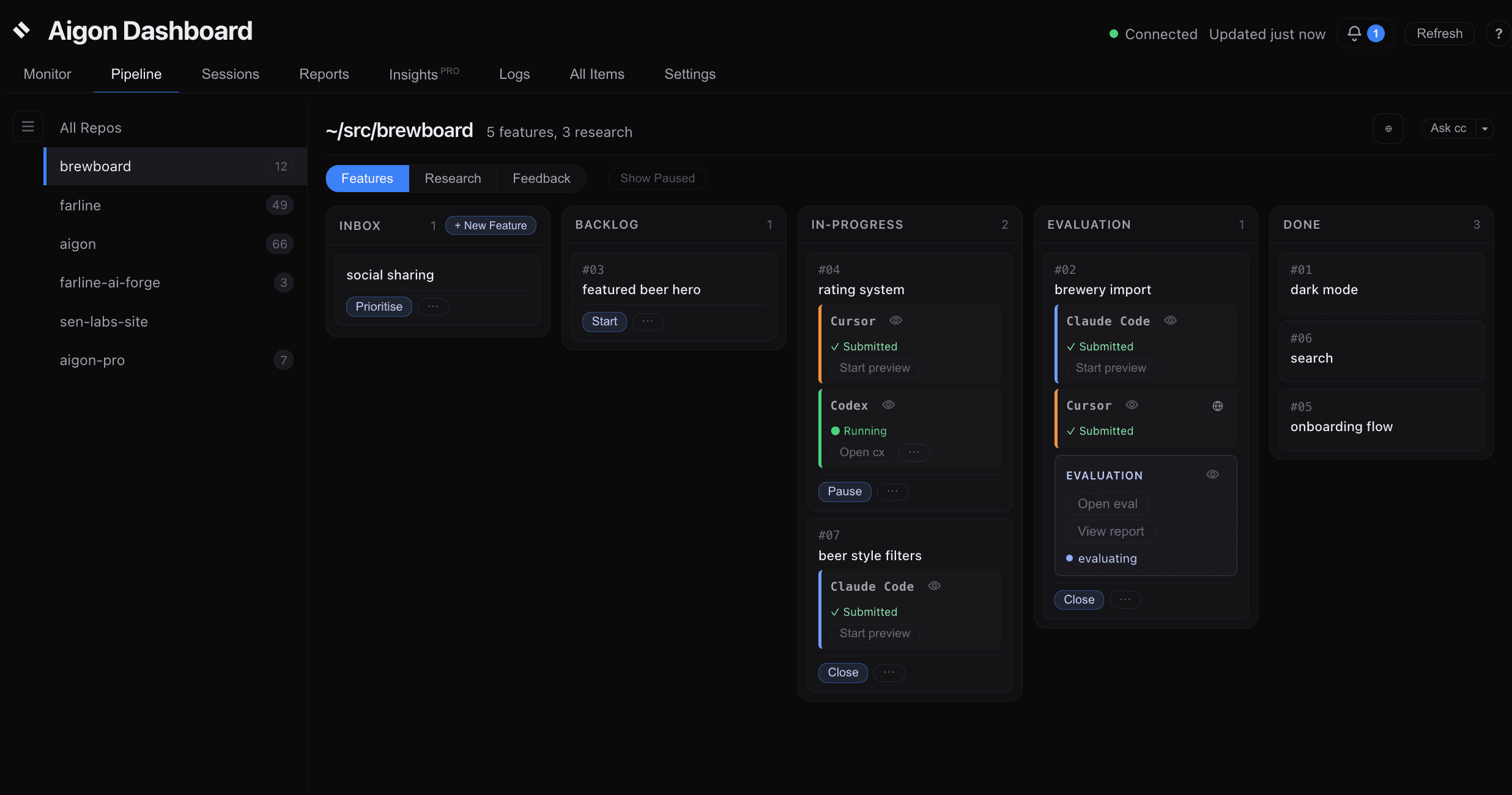
You interact with Aigon through three interchangeable surfaces:
- Slash commands — inside an agent session (
/aigon:feature-start 42) - CLI — from any terminal (
aigon feature-start 42) - Dashboard — browser UI at
aigon.localhost(click “Start” on a card)
All three drive the same underlying state. Mix them freely.
Specs and lifecycle views
Canonical specs live under docs/specs/{features,research-topics}/00-specs/. Lifecycle stage folders are projected views of workflow state rather than Git file moves on every transition:
docs/specs/features/
  00-specs/        → canonical spec home
  01-inbox/        → ideas
  02-backlog/      → prioritised
  03-in-progress/  → being worked on
  04-in-evaluation/→ comparing implementations (Fleet)
  05-done/         → merged and complete
Research follows the same pattern with its own folder structure. See File Structure for the full layout.