Aigon
Aigon
Different models catch different bugs.
Run implementations across model families. Review with a different agent than the one that wrote the code.
Aigon orchestrates Claude Code, Antigravity CLI, Codex, Cursor, and GitHub Copilot CLI from a single spec. Competing implementations, cross-agent review, merge the survivor.
You can run Aigon in four modes — Drive, Fleet, Autopilot, and Swarm.
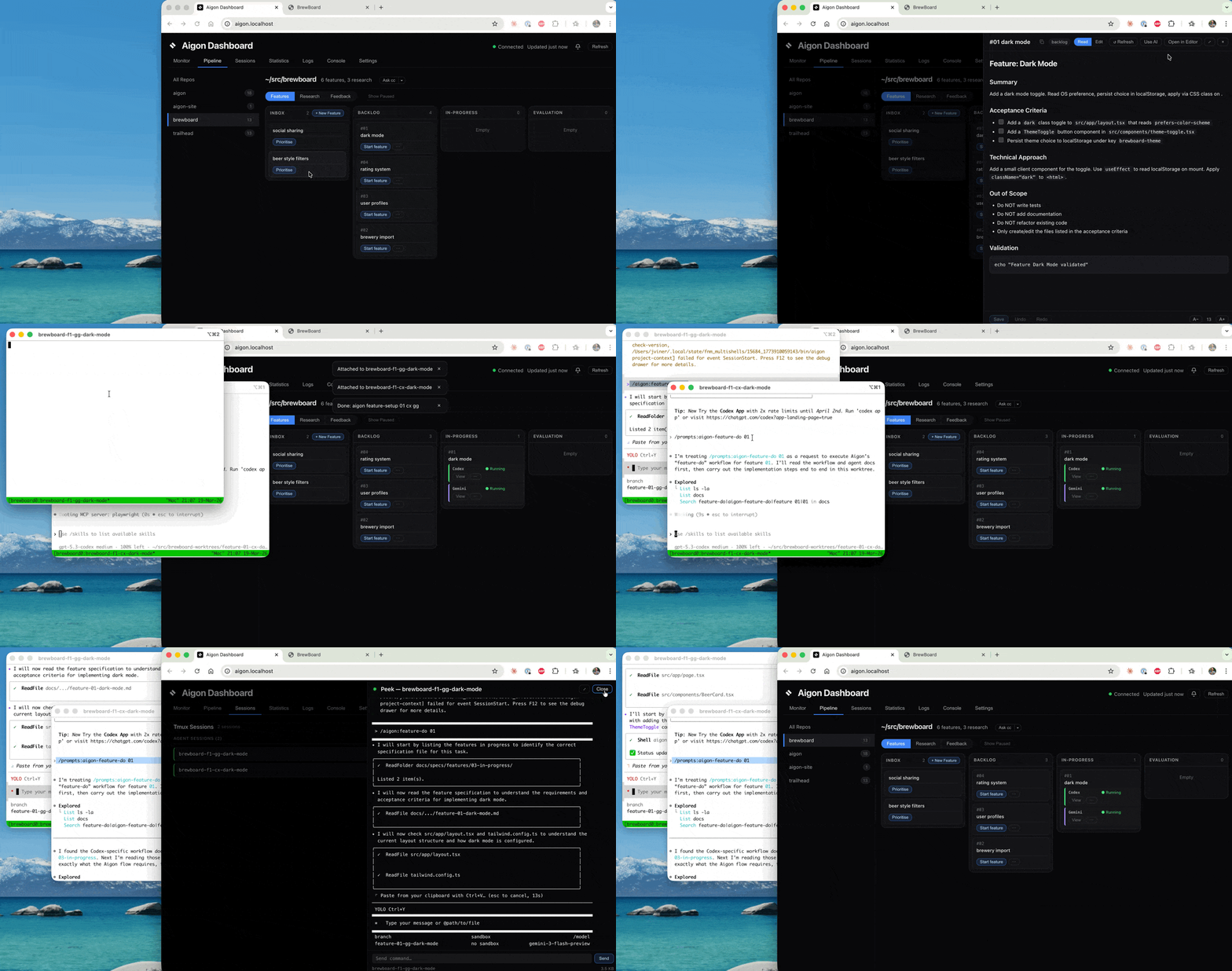
1. Kick off the dark-mode feature in Fleet mode, with Cursor and Claude Code implementing in isolated worktrees
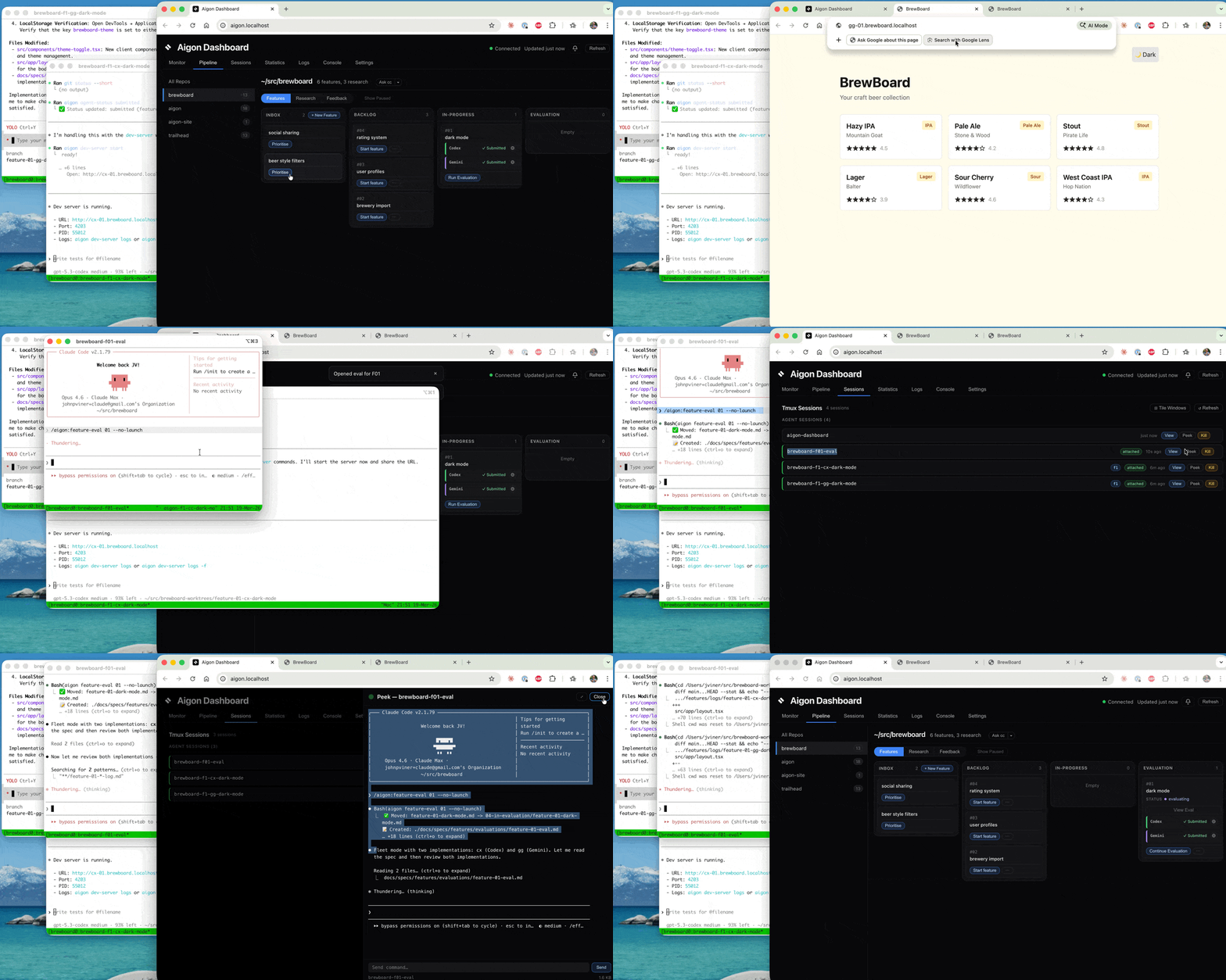
2. Both agents (Cursor, Claude Code) have completed; review each worktree's running site, then choose an evaluation agent/model (Kimi K2.6)
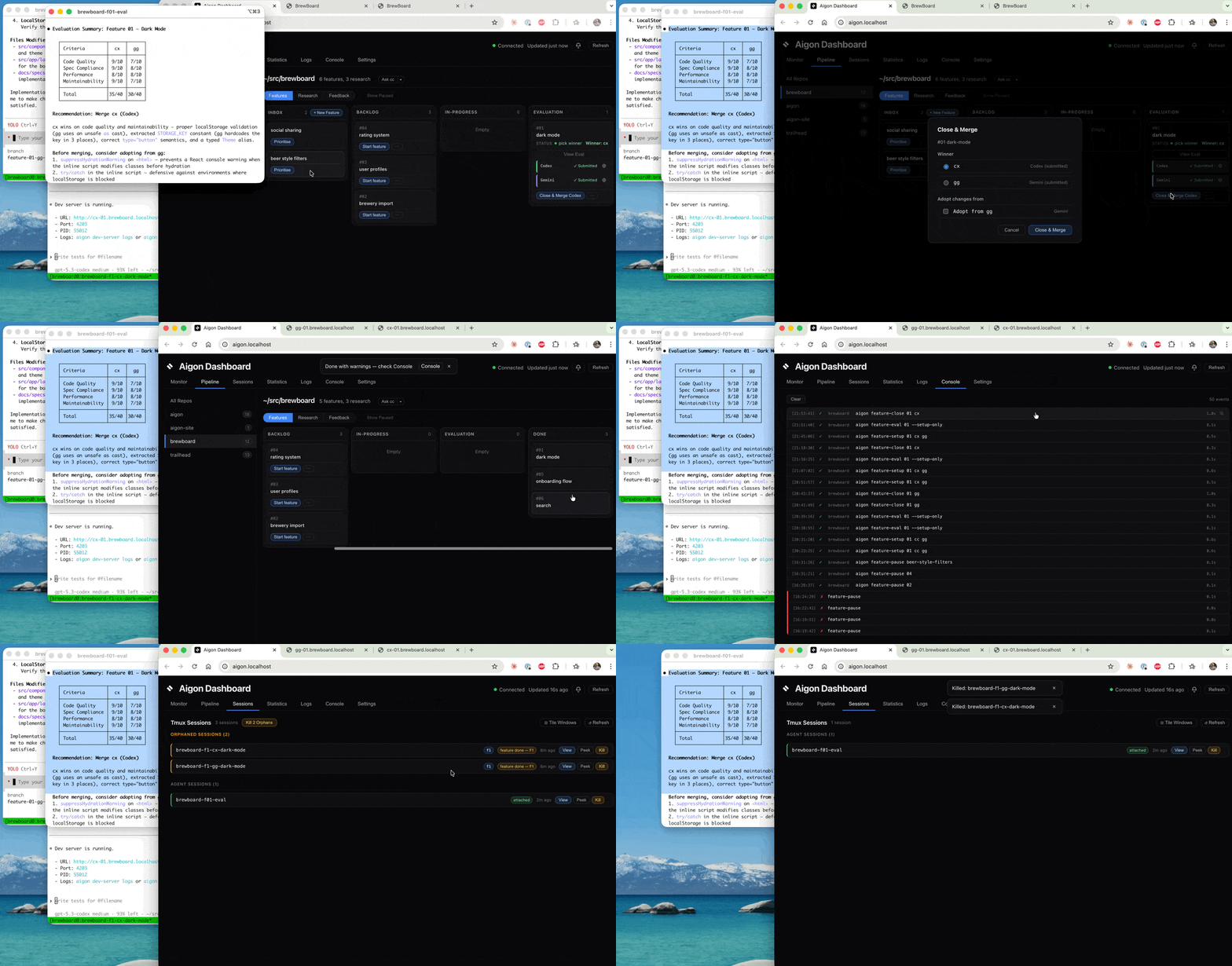
3. Evaluation is complete — merge the winner (Claude Code), include the best parts from the Cursor implementation
Why Aigon
Run implementations across model families. Review with a different agent than the one that wrote the code.
Aigon orchestrates your agent CLIs directly. No billing, no metering, no third-party systems.
Git worktrees, tmux sessions, Markdown specs. Attach to any session, control any agent, any time.
CLI in action
How it works
Aigon modes
You guide a single agent through the spec. Full control, full visibility. The agent works in a dedicated branch, you review and submit when ready.
The steps
Create a feature spec and move it into the backlog.
Your workflow, visualised
The Aigon Dashboard is a visual way to run and monitor your spec-driven workflow. When you have multiple concurrent features in active development across many agents and tmux sessions, the dashboard provides a single pane to control and view progress. Drag features across columns, launch agent sessions with one click, and watch your pipeline move in real time. A web-based tmux session view allows you to interact with your agents without ever leaving the dashboard.

Remote Access
The dashboard runs on your local network — open it on your phone or tablet over LAN, or use Tailscale to check on your agents from anywhere. Monitor from the couch.
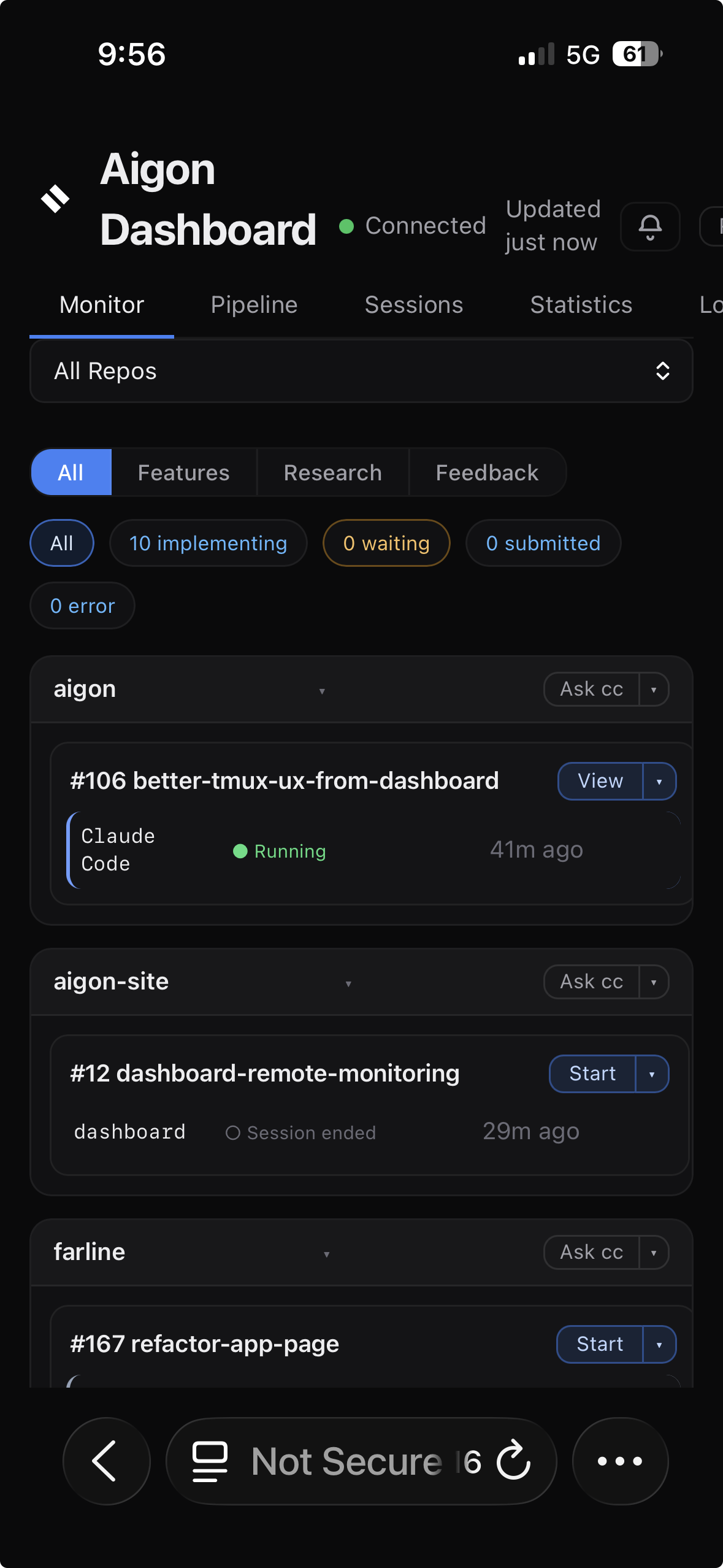
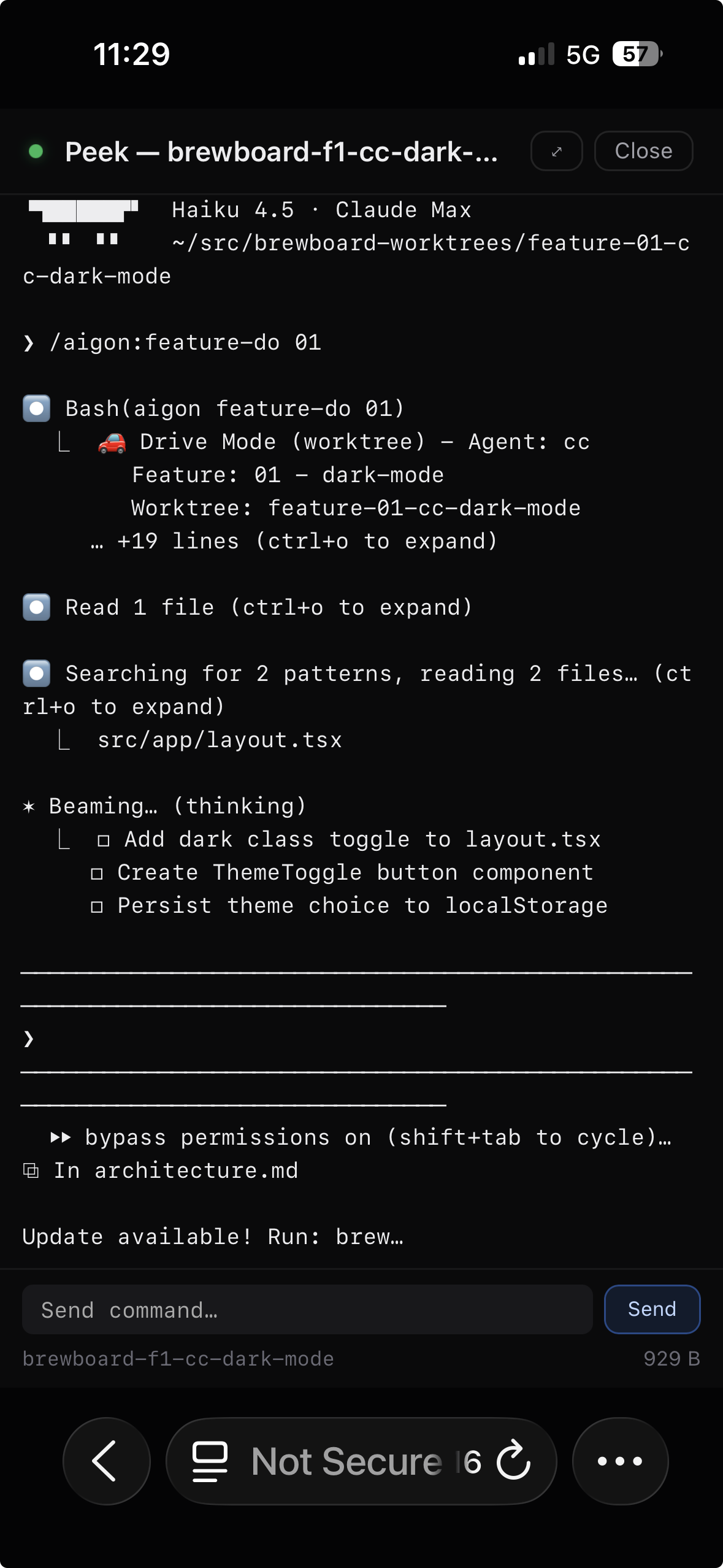
Workflow Intelligence
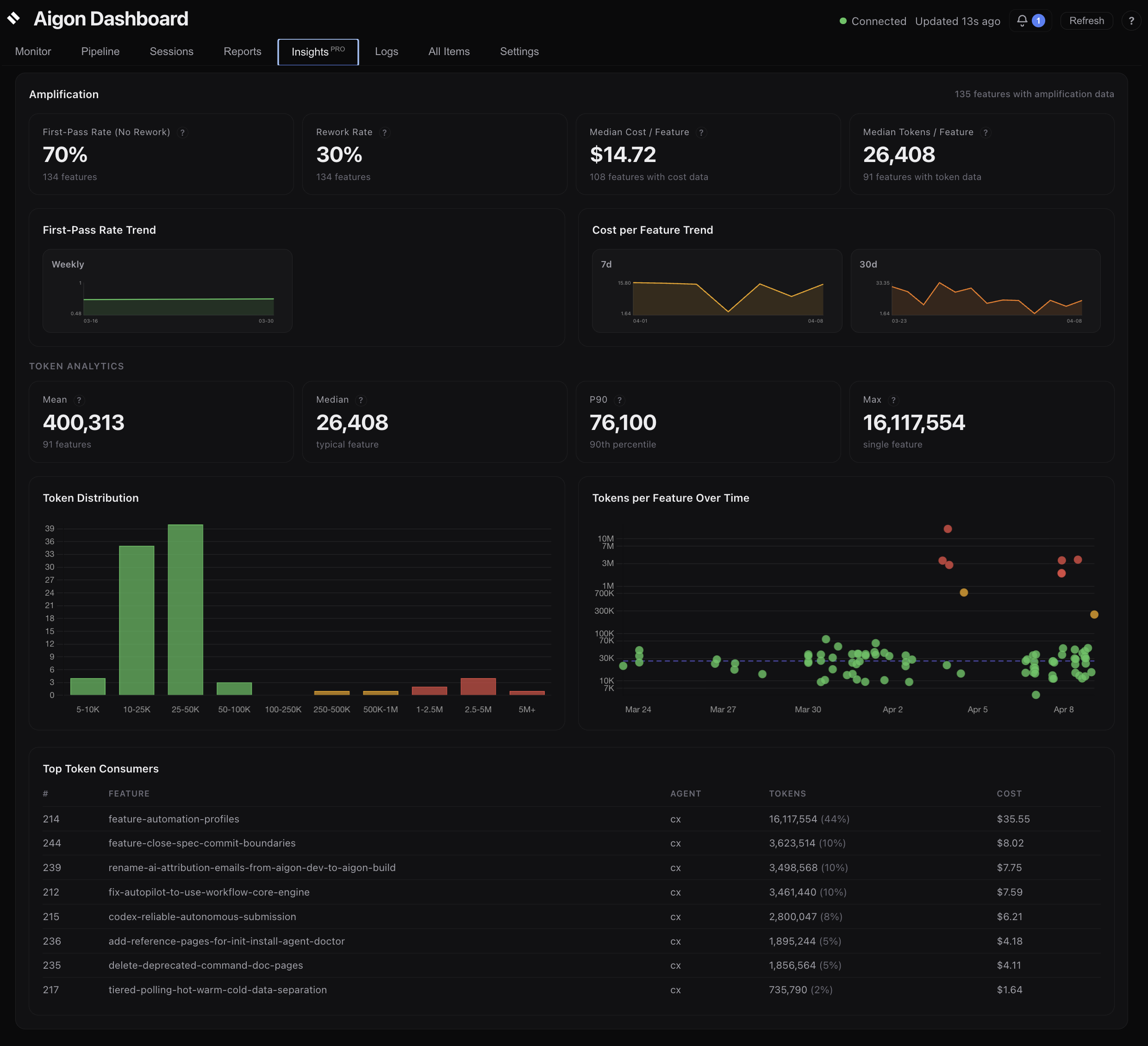
Aigon comes with charts that track the metrics that help you answer questions such as: Are features shipping faster? Is rework going down? Is token usage increasing per feature?

Features completed and commits over time — stacked to show feature-attributed vs non-feature work.
Median cycle time and commits-per-feature trending over time. See whether features are getting tighter.
Percentage of fix commits per period. Trending down means agents are landing correct code on the first pass.
Get started
npm install -g @senlabsai/aigon@latestInstall Aigon and run your first feature loop in under five minutes.
Three workflows, four execution modes, and how Aigon organises your work.
Step-by-step walkthroughs for Drive, Fleet, Research, and Dashboard.
Every Aigon CLI command, organised by feature, research, feedback, and infrastructure.
CLI commands, configuration, agents, and file structure.
Browse the full docs site when you want the whole map in one place.
Insights
Once features are moving, Aigon measures them: agent quality metrics with AI coaching, benchmarks, autonomous runs on a schedule, and portable state across machines.